 Blog RSS Feed
 Via E-mail
 Twitter
 Facebook
BTBotControl
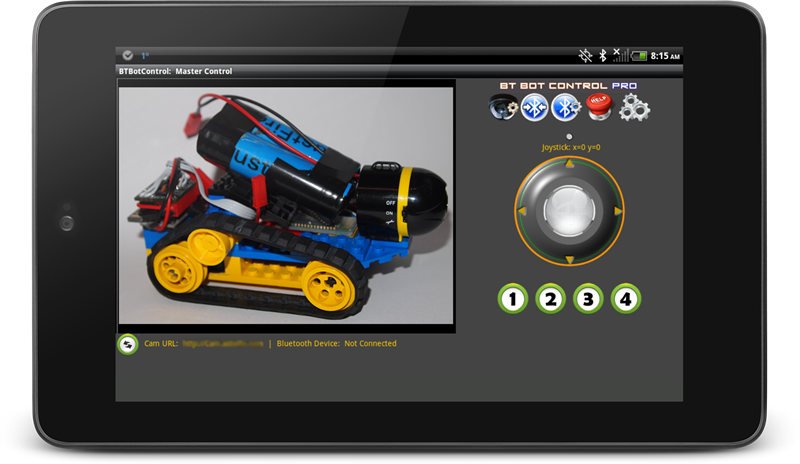
is an Android application that allows you to remotely control a micro
controller-based robot using Bluetooth (i.e. Arduino). It also allows
you to (optionally) view a video stream from an IPCamera mounted to your
robot. This could be any type wireless IP camera or phone that has the
ability to broadcast a video stream/images to the web. Example Foscam,
Ai-Cam etc.
Some of the features of BTBotControl:
- Can use Joystick via finger movement, or the orientation sensor on your device. (default is Joystick mode).
- Supports 8 individual commands via Command Buttons. 4 on by default. 4 more can be turned on in the Settings section.
- Sends the x/y coordinates as positive and negative integers based on 4 quadrants of the joystick. Data is sent via Bluetooth and can be parsed to set both direction and velocity. (sample code below)
- Coordinates are generated as X+/- and Y +/-. These are packaged and sent in the following format sX=val,Y=vale i.e. sX=75,Y=-55e where ‘s’ indicates the start and ‘e’ indicates the end.
- Command button values are packaged and sent in the following format: sC=[val]e i.e. sC=2e where ‘s’ is the start, ‘c’ indicates the a command button as pressed, ’2′ is the value and ‘e’ indicates the end.
- Configurable Bluetooth packet send interval – used to set the speed (quantity) of packets sent. Default of 200ms works well.
- Shows video stream of IP Camera mounted to robot. (see FAQ)
- Configurable camera URLs. Remembers last camera connection for easy re-connect.
- Configurable Bluetooth connections. Remember last Bluetooth connection for easy re-connect.
- Sample Arduino Sketch provided (below).
- Screen auto re-sizes for smaller phones.
- Supports any micro controller that can parse Bluetooth data (bluetooth module required) (sample sketch below).

Note on Bluetooth: The control distance is dependent on a number of factors including; your Bluetooth device range, battery power, obstacles etc.
Download BTBotControl here:

If you have an feature requests, or suggestions, please let me know.
Sample Sketch: IPCamBot Arduino Sketch
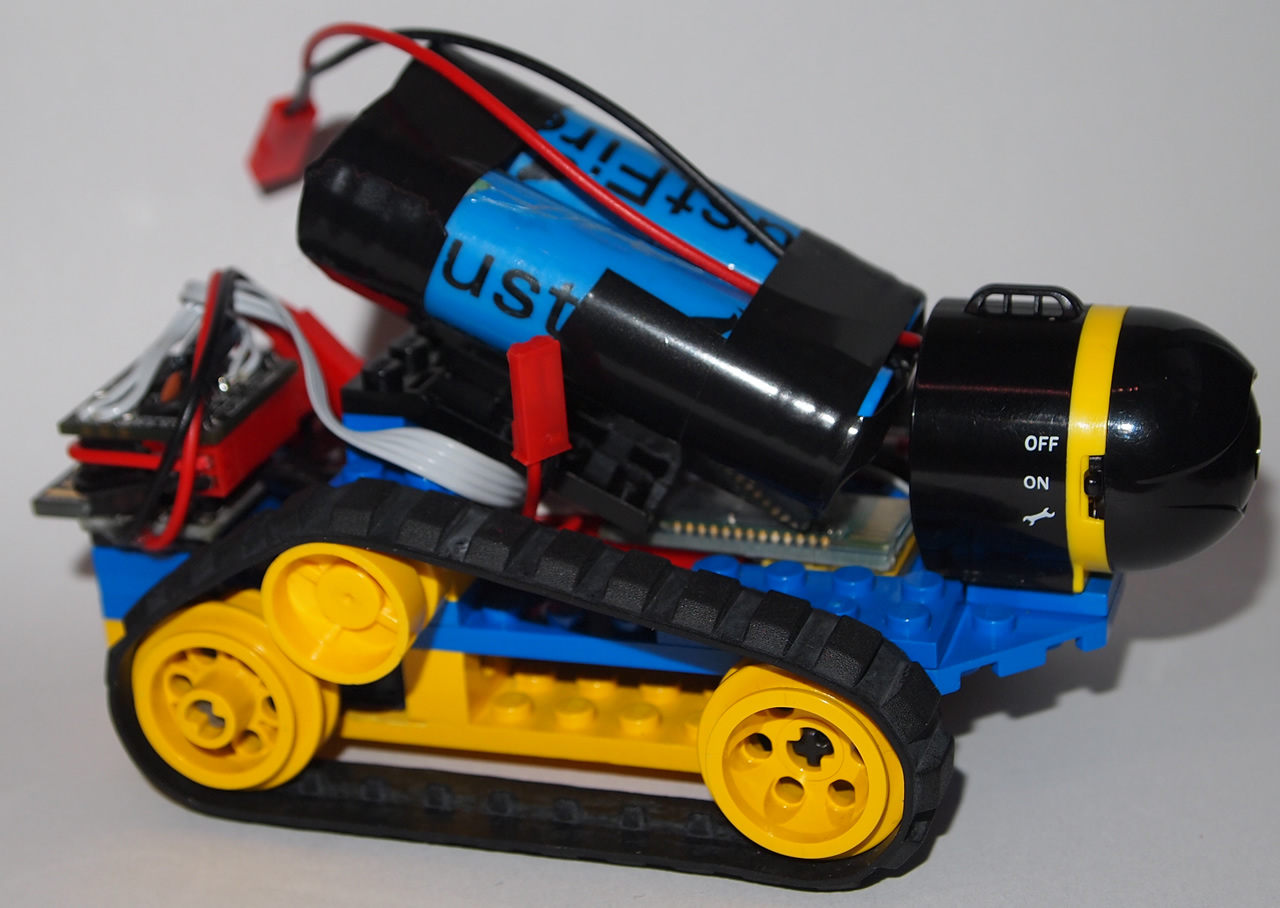
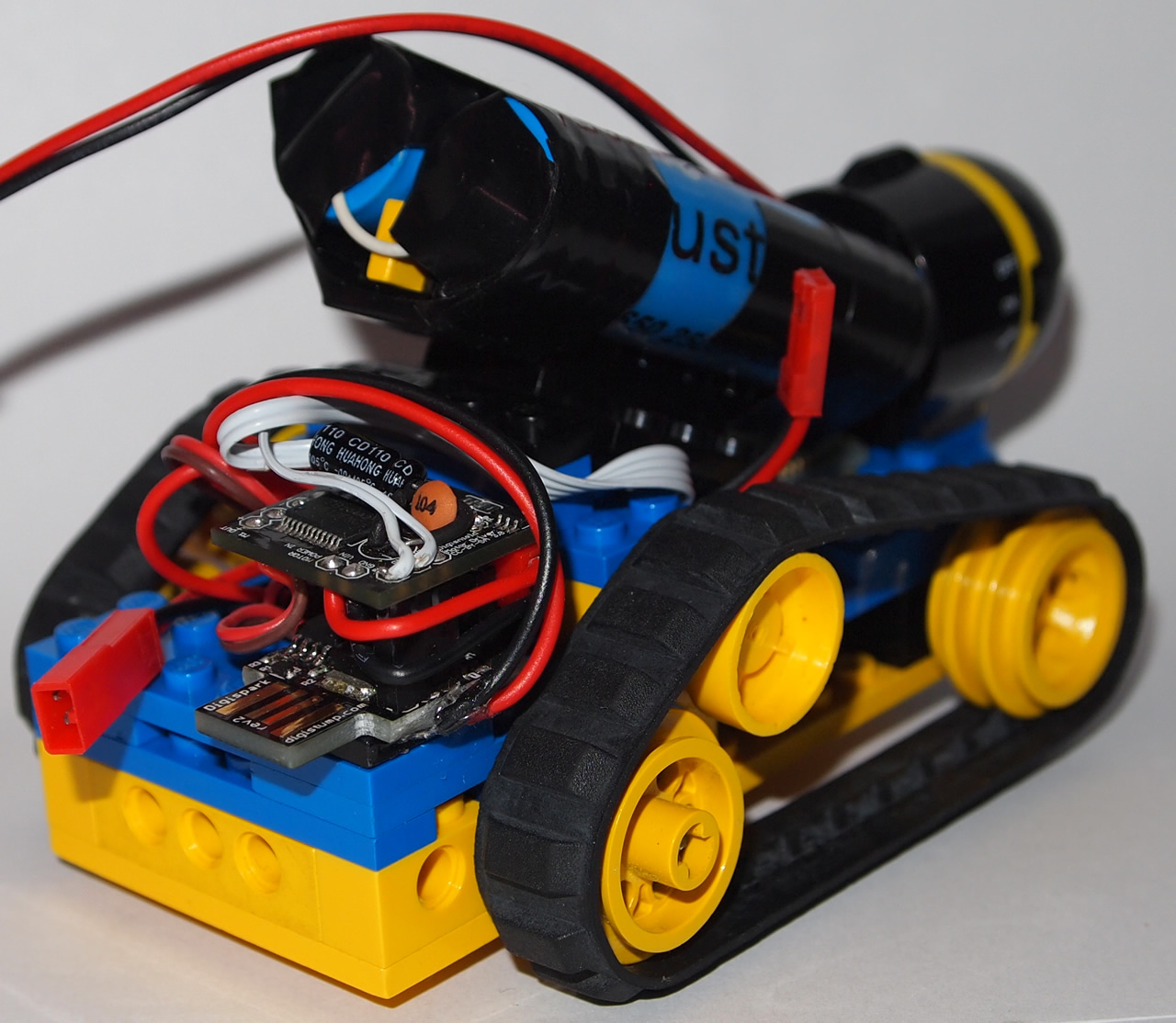
Note: For this project, I used a Digispark (Arduino-based micro controller). This sample sketch is targeted for a Digispark (ATTiny85), but was also tested on an Uno, so it should work for most Arduino’s. If using an ATTiny, remove any Serial.Print statements. Also watch the size of the sketch as there are limitations on the ATTiny85.
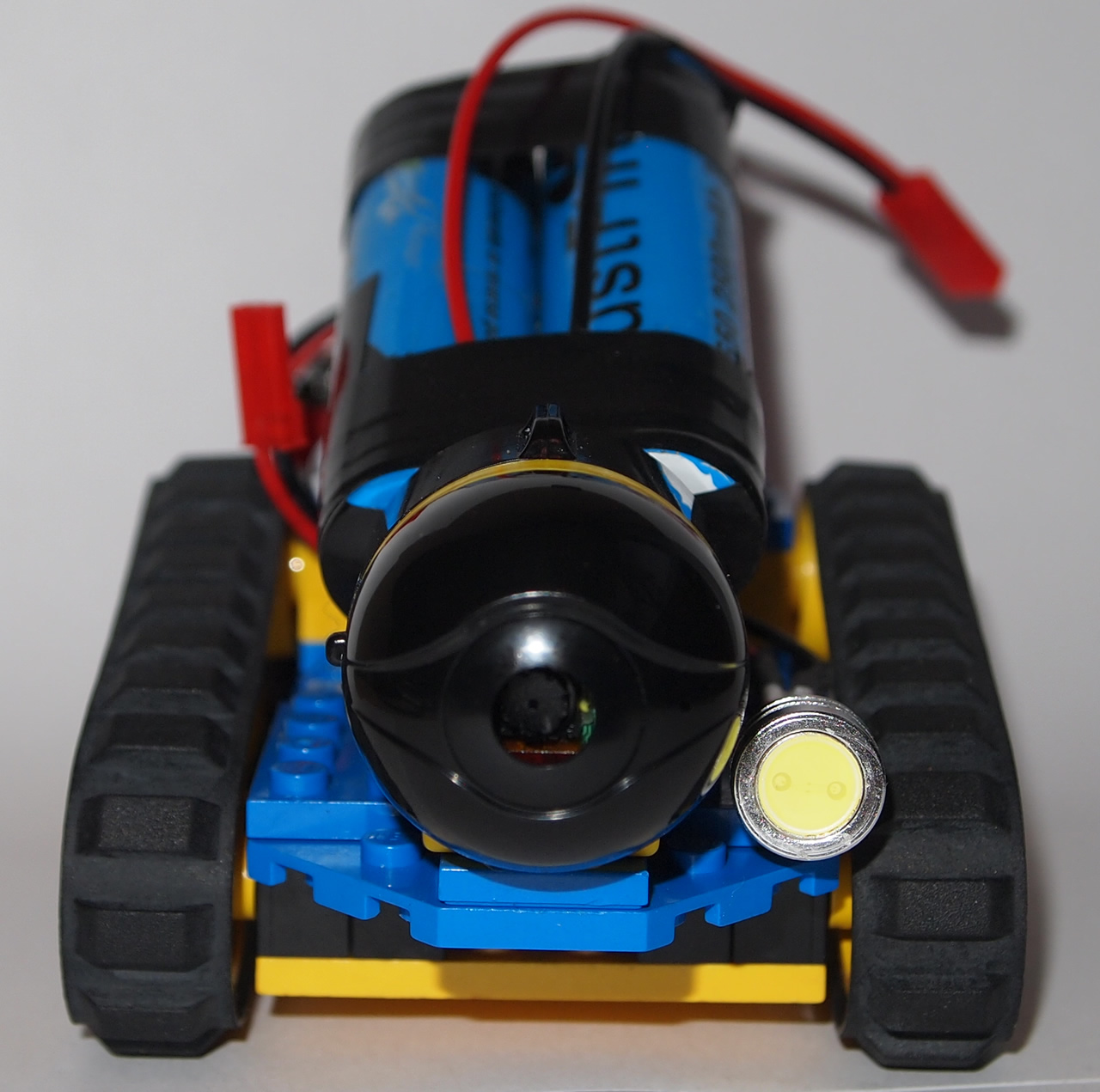
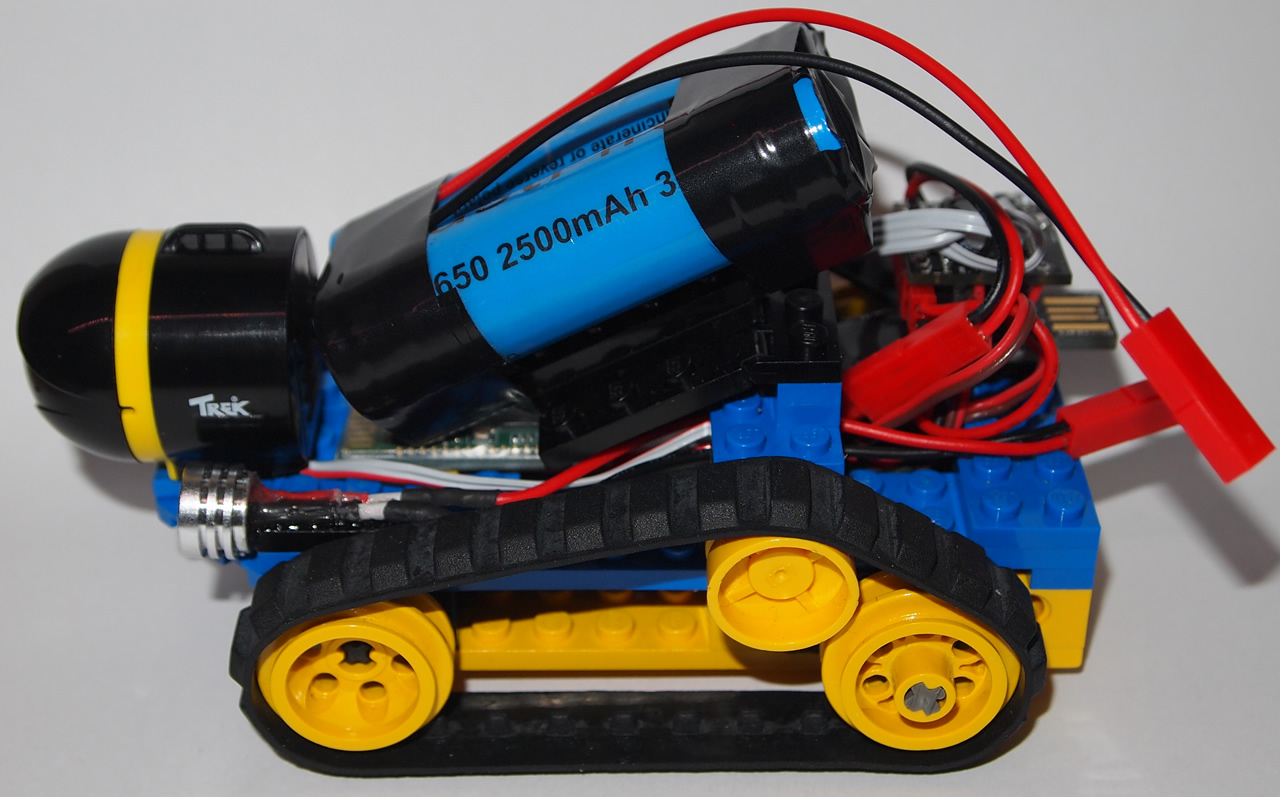
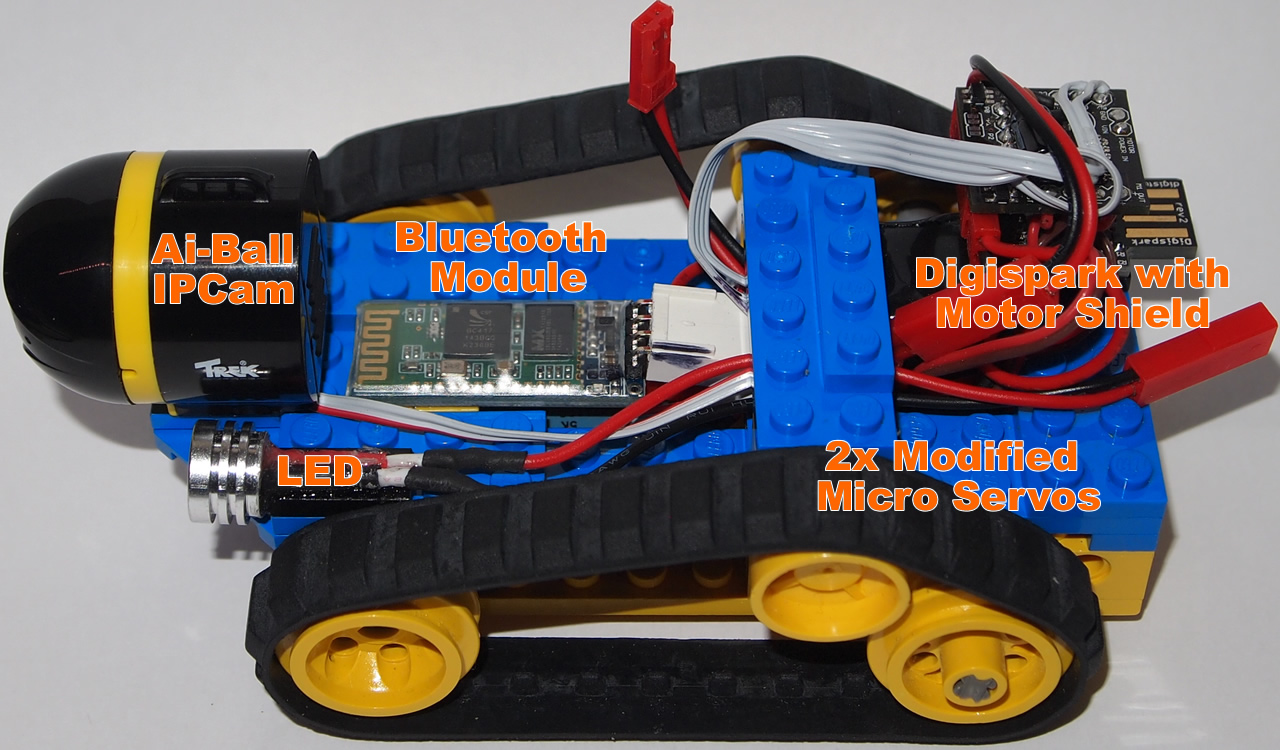
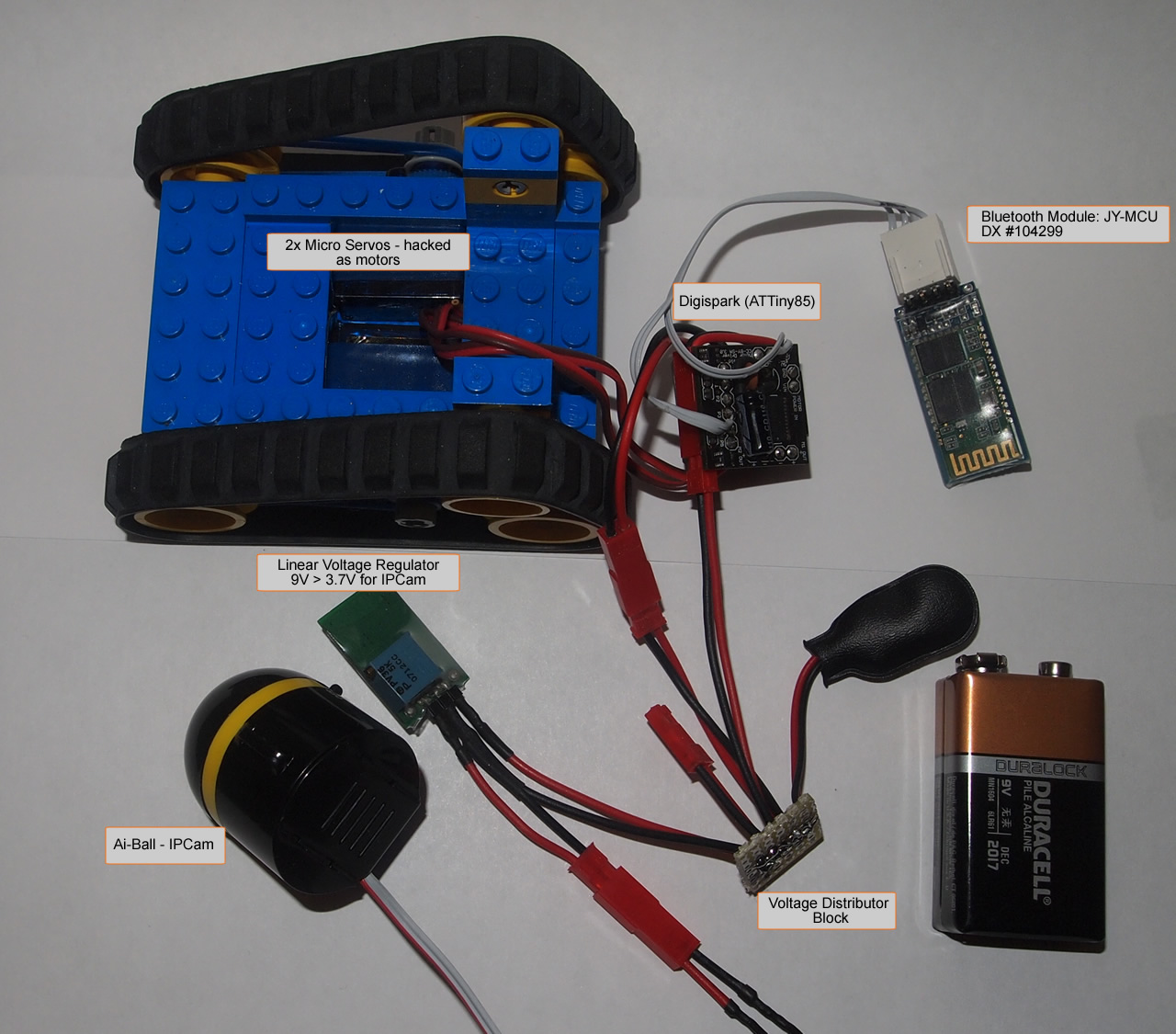
Here are some pictures of the bot (click to enlarge):
-
- IPCamBot
-
- IPCamBot
-
- IPCamBot
-
- IPCamBot
-
- IPCamBot


0 comments:
Post a Comment